




Traditional IT systems come with challenges—security risks, high costs, and limited flexibility. As businesses grow, outdated infrastructure can slow you down and make it harder to compete.
That’s why more companies are moving to the cloud, with 60% of the world’s corporate data now stored there. This shift isn’t just about convenience—it’s driven by the need for stronger security, better scalability, and greater efficiency.
As Matthew Keeler, CEO of The KR Group, says, “Cloud computing is no longer optional—it’s how businesses stay secure, flexible, and ready for what’s next.”
This blog explores the importance of cloud computing and how it can help you streamline operations, cut costs, and protect your data.
What is Cloud Computing?
Cloud computing is the delivery of computing services—such as servers, storage, databases, and networking—over the internet instead of relying on physical hardware. With businesses rapidly adopting cloud solutions, the global cloud computing market is projected to grow from $626.4 billion in 2023 to $1,266.4 billion by 2028. This shift is driven by the need for greater flexibility, cost efficiency, and security. Unlike traditional IT infrastructure, cloud computing offers:
- On-demand resources without the need for upfront capital investment.
- Scalability and flexibility to adjust IT resources based on business needs.
- Remote accessibility, allowing employees to work from anywhere.
Cloud Service Models
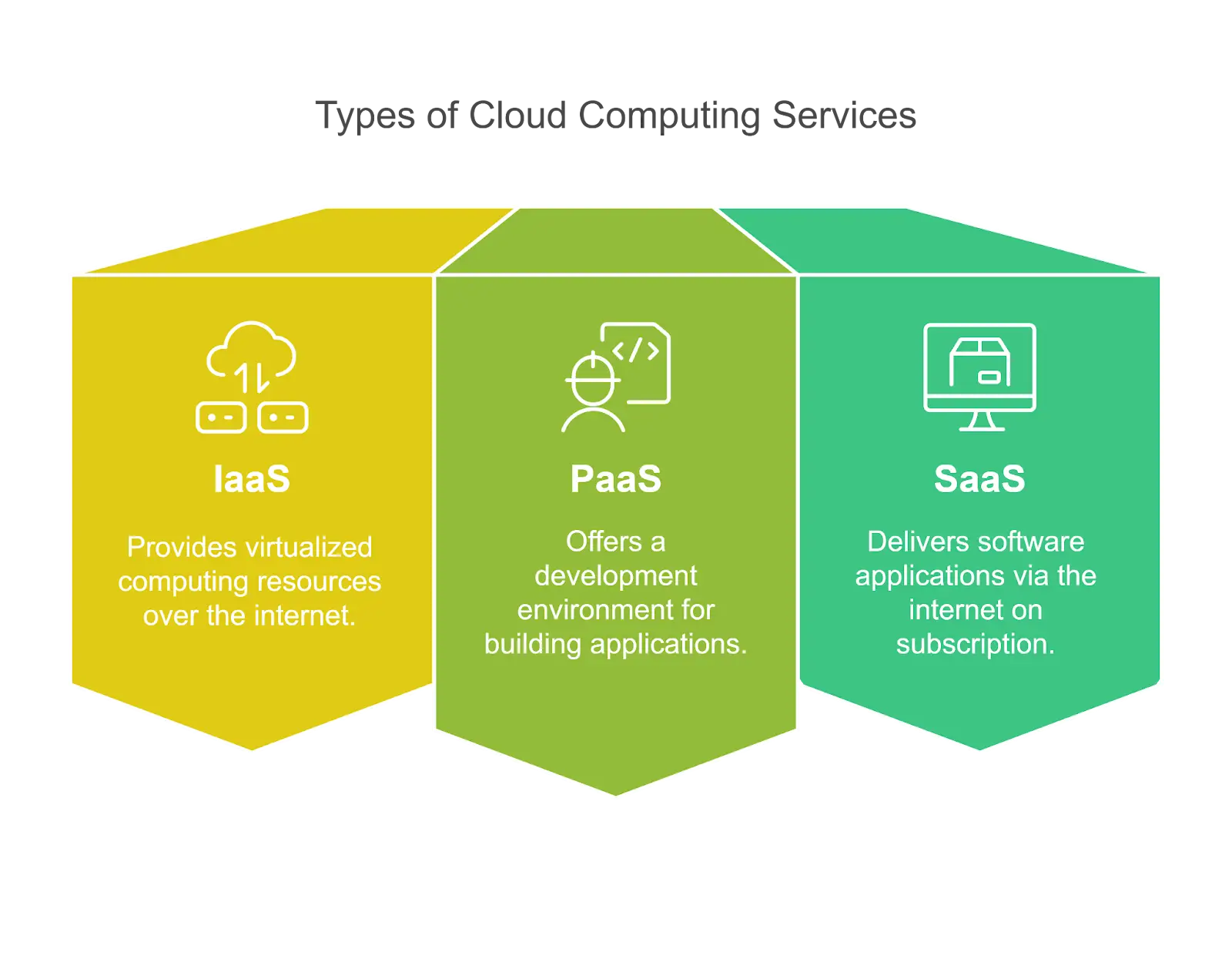
There are three main types of cloud computing services:
- IaaS (Infrastructure as a Service) – Provides virtualized computing resources, such as servers, storage, and networking, over the internet. Businesses can scale infrastructure as needed without maintaining physical hardware.
- PaaS (Platform as a Service) – Offers a development environment with tools, frameworks, and infrastructure for building, testing, and deploying applications. Developers can focus on coding without managing servers or runtime environments.
- SaaS (Software as a Service) – Delivers fully functional software applications over the internet, usually on a subscription basis. Users access applications like email, CRM, or collaboration tools without installation or maintenance.
Move to the Cloud with Zero DowntimeUpgrade your IT with secure, scalable cloud solutions—seamless migration, no disruptions. |
The Key Benefits of Cloud Computing
- Cost Efficiency
With cloud computing, you eliminate high upfront hardware costs and switch to a pay-as-you-go model, allowing better budget control. Instead of overpaying for unused resources or scrambling to scale up, you can adjust your IT spending based on actual business needs, reducing waste and maximizing efficiency. - Scalability and Flexibility
Cloud computing adapts to your business needs. Whether you’re scaling up for peak demand or scaling down to reduce costs, cloud solutions provide unmatched flexibility. Many industries, especially finance, have embraced this approach—an average financial services company uses more than 1,000 cloud services to manage operations, security, and compliance efficiently. This level of scalability is particularly beneficial for remote teams and growing businesses that need to adjust resources quickly. - Security and Compliance
Leading cloud providers offer multi-layered security features such as encryption, multi-factor authentication, and compliance with industry regulations like GDPR and HIPAA. This ensures your data remains secure and meets regulatory requirements. - Business Continuity and Disaster Recovery
Traditional IT systems are vulnerable to data loss from system failures or cyberattacks. Despite these risks, 21% of SMBs don’t have a data backup or disaster recovery solution in place, leaving them exposed to downtime and financial losses. Cloud computing offers:- Automated backups for continuous data protection
- Disaster recovery solutions that minimize downtime and data loss.
- Improved Collaboration and Productivity
With cloud-based applications like Microsoft 365 and Google Workspace, teams can collaborate in real-time, access files from anywhere, and enhance overall productivity. - Sustainability and Environmental Impact
Cloud providers run energy-efficient data centers that use less power and produce lower carbon emissions than traditional on-site servers. Moving to the cloud helps businesses reduce their environmental impact while improving IT efficiency.
Steps to Transition to the Cloud
Migrating to the cloud requires careful planning. Follow these steps to ensure a smooth transition:
- Assess Business Needs – Identify specific IT challenges and determine how cloud solutions can address them.
- Choose the Right Cloud Model – Decide between public, private, or hybrid cloud based on your security and scalability needs.
- Implement a Migration Strategy – Work with a trusted IT partner to move data and applications securely.
- Train Employees – Educate staff on using cloud-based tools and best security practices.
- Monitor and Optimize – Continuously analyze performance and make improvements to maximize cloud efficiency.
Cloud Computing Service Models – A Comparison
| Feature | IaaS (Infrastructure) | PaaS (Platform) | SaaS (Software) |
| Use Case | Virtualized IT resources | App development & deployment | Subscription-based software |
| Scalability | High | High | Limited |
| Management Responsibility | User manages applications & OS | Cloud provider manages OS & platform | Fully managed by provider |
| Examples | AWS EC2, Microsoft Azure | Google App Engine, AWS Elastic Beanstalk | Google Workspace, Microsoft 365 |
| More articles you might like: |

Take the Next Step Toward a More Agile Business
Cloud computing isn’t just an upgrade—it’s a smarter way to manage IT. It gives your business the flexibility to scale, reduces costs, and strengthens security. With built-in cybersecurity and remote access, it keeps your team connected and your data protected, all without the burden of maintaining expensive on-site infrastructure. That’s why more businesses are making the switch.
At KR Group, we make cloud adoption seamless. Whether you need secure cloud storage, scalable computing power, or expert management, our team ensures a hassle-free transition. Contact us today to find the right cloud solution for your business.
|
Discover Trusted Managed IT Services Near You |