


You’ve identified your switching needs, and you know what features your ideal switch will have. 
But for the most part, all the vendors have similar hardware features. So how do you know which one should supply yours?
The KR Group typically points customers toward Cisco Catalyst or Cisco Meraki MS switches, but those aren’t the only options you have.
When presenting all of the options you have for switching, the information can be a lot to consume. To help you better understand the different vendors and what they offer, we’ve compiled a list of the best enterprise-grade switches. They include:
- Cisco Catalyst
- Cisco Meraki
- Fortinet
- HPE Aruba
As a disclaimer, we sell solutions from each of the above vendors. However, we’ll remain unbiased as we look at each option’s pros, cons, and pricing.
Cisco Catalyst 9000 Family of Switches
These switches are part of the Catalyst 9000 networking family, which includes: 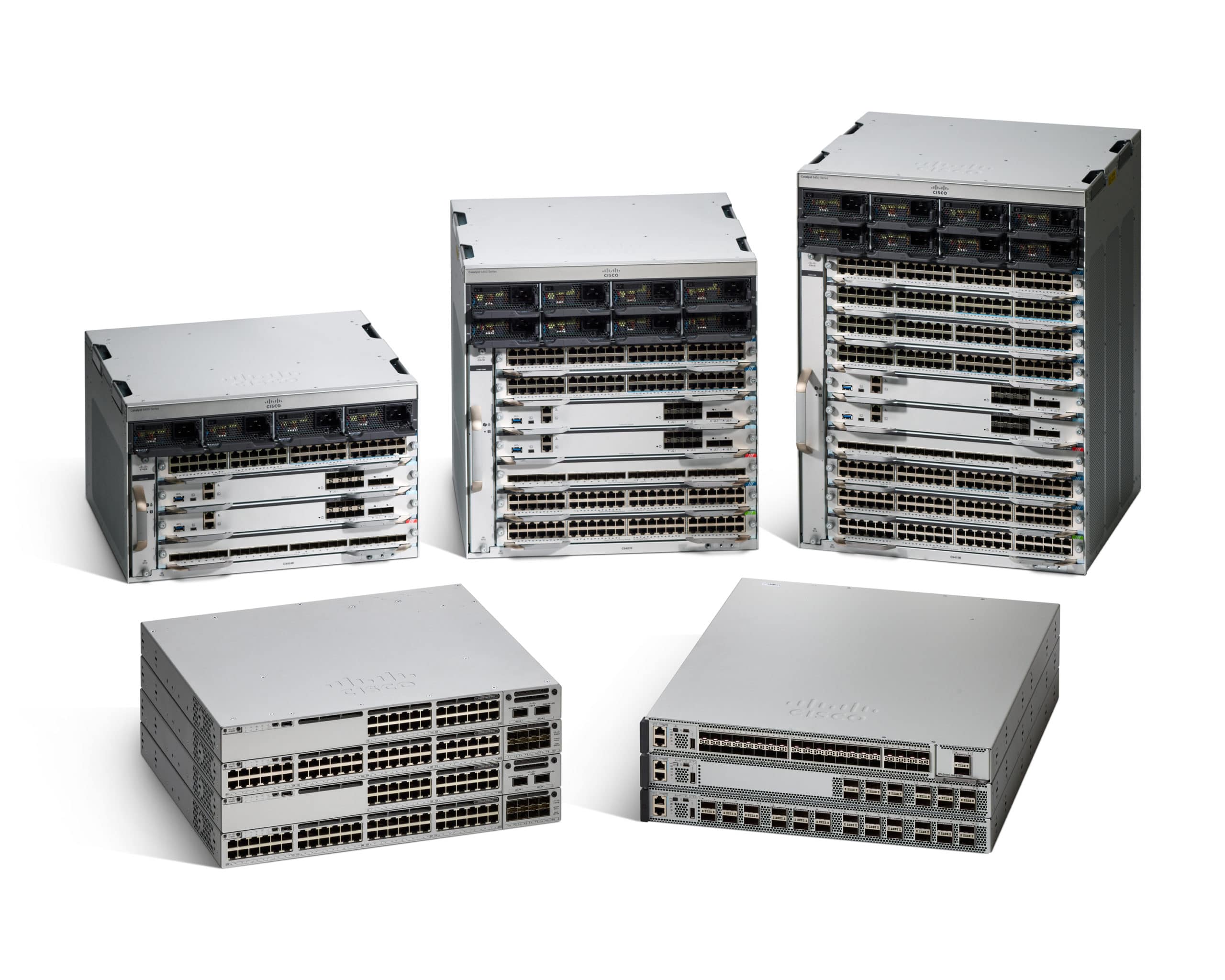
- Catalyst 9100 access points, which are Wi-Fi 6 enabled and support multigigabit connections
- Catalyst 9200 switches for small and midsize deployments looking for fixed, stackable options up to 160 Gbps
- Catalyst 9300 switches for larger deployments looking for fixed, stackable options up to 1Tbps
- Cisco DNA Center, the network management controller for software-defined innovation
Cisco introduced the Catalyst 9000 family of switches in 2021. Compared to older Catalyst models, these options have some new or improved features (discussed more below).
Here are a few things to keep in mind if you’re considering a Catalyst 9000 switch:
Pros of Catalyst 9000 Switches
Cisco designed their latest switches to be compatible with advancements in technology. There are several options compatible with multigigabit network connections and built with the rise of wireless technology in mind.
Another significant feature is the Catalyst 9000 switch’s design to intuitively work with Cisco DNA Center to provide better insight, management, and security for your network.
Cons of Catalyst 9000 Switches
Of course, there are some drawbacks to this series of switches.
While the DNA Center integration provides great insight, you’re required to purchase licenses, even if you don’t plan on using the solution. And, to actually implement DNA Center, you need to buy a separate appliance.
Other cons you may want to consider are complex licensing options and stacking limitations. However, you can generally work through those issues by relying on your Cisco partner’s knowledge.
Price of Catalyst 9000 Switches
How much you’ll spend on your Catalyst 9000 switch depends on what options you want your switch to have.
The number of ports, PoE availability, modular configurations, and stacking capabilities affects the final price of your switch.
Plus, as you read earlier, if you decide to purchase a DNA Center appliance, that’s an additional cost.
With that said, you can expect to spend at least $3,000 for a Catalyst 9200-L switch, with four 1 gigabit uplink ports, 1 year of support, and a DNA Center subscription.
Cisco Meraki MS Switches
Meraki has several switching options well-suited for small- and medium-sized businesses. 
If you’re familiar with Meraki devices, then you’ve likely used or heard of their cloud-based dashboard. From here, you can manage your Meraki network, including Meraki firewalls, access points, and cameras.
And if you mix and match solutions with Cisco devices, Meraki switches still tie into DNA Center for insight and management through that solution.
Here is some additional information about Meraki MS switches:
Pros of Meraki MS Switches
Meraki’s dashboard is certainly an advantage if you choose this option for your switching needs.
However, the most significant benefit is the intuitiveness of the solution. As long as you understand the basics of networking, you can configure and manage your switches.
Cons of Meraki MS Switches
The drawback of Meraki switches is the dashboard requires you to pay for licensing. If you let a license expire for a switch, the entire device stops working.
So even though your license entitles you to next business day replacement, if your switch breaks after 5 p.m. on a Friday, you’re waiting until Tuesday for a replacement.
Also, if you’re the type of IT manager who enjoys or needs the nitty-gritty fine-tuning aspect of a switch, Meraki won’t give you that kind of access to configuration settings.
Price of Meraki MS Switches
Cost-wise, Meraki prices their MS switches similarly to comparable options from the Cisco Catalyst 9000 family.
The initial price is slightly more expensive than Cisco.
Take the Cisco Catalyst 9200L-24T-4G-E (a fixed, 24 port, four 1 gigabit uplink device) vs. a Cisco Meraki MS210-24-HW (also a 24-port, four 1 gigabit, uplink device). The MS210-24-HW lists for $4,400, which is $1,100 more than the Catalyst 9200L-24T-4G-E.
After the upfront purchase, the ongoing cost of the Catalyst option costs $1,168 for support and DNA Center every 3 years — although you can subtract $700 if you don’t renew the DNA Center portion. Meanwhile, the Meraki device has a mandatory $365 license renewal every 3 years.
 Fortinet’s FortiSwitch

If you’re looking to get away from Cisco and Cisco Meraki, an option your IT consultant will likely introduce you to is Fortinet.
The 100 series switches provide options from eight to 48 ports with and without varying degrees of PoE, and you can purchase ruggedized options for outdoor or “challenging” environments.
You can also use their cloud management system, Fortilan, for the switches and other Fortinet networking devices.
Pros of FortiSwitches
Fortinet’s security is a benefit of choosing a FortiSwitch.
They’re originally known for their firewalls but, over time, have branched out to other networking devices.
This initial focus bleeds into their newer solutions, so their switches are designed and built with cybersecurity at the top of mind.
It also means you can standardize on Fortinet devices in your network instead of mixing and matching.
Cons of FortiSwitches
However, Fortinet’s switches aren’t as established as the competition discussed in this article.
If you’ve been in IT for a while, you know the names Cisco, Cisco Meraki, and HPE Aruba but might not be as familiar with Fortinet. It’s simply the new kid on the block.
Price of FortiSwitches
When comparing options, Fortinet switches are less expensive than the other options discussed in this article.
Let’s again look at a 24 port, four 1 gigabit uplink device. Fortinet’s solution is the FS-224E. You can find this option listed at $1,250 with 3 years of hardware support included.
However, if you want to manage your Fortinet networking from the cloud, there will be additional costs.
 HPE Aruba Switches

As a fourth option for an enterprise-grade switch, let’s look at HPE Aruba’s solutions.
You can choose from cloud and non-cloud options, as well as features for high availability, physical stacking, and modularity.
Pros of HPE Aruba Switches
One of the unique features of this option is all of Aruba’s switches operate on a single operating system. So you’ll use the same code and command set regardless of what series of switches you purchased.
This is in contrast to Cisco, which has different operating systems for its Catalyst and Nexus switches.
Cons of HPE Aruba Switches
A common complaint from new Aruba users is the decent-sized learning curve you’ll face coming from a Cisco or Fortinet switch.
While a switch is a switch, the interface is different enough that it requires some time to get acquainted with it.
Price of HPE Aruba Switches
HPE Aruba’s switches are competitively priced. Models with similar features to the other vendors discussed in this article are similarly priced to Fortinet.
A 24 port HPE Aruba switch with gigabit capability lists for around $1,200. For this price, you’ll get lifetime next business day replacement for hardware and 3 years of phone support for non-hardware issues.
Which Switch Is Right for You?
Now that you’ve read through your options, you’ve likely noticed there are not many differences among switch vendors.
But overall, they all have several variations to meet your IT environment’s needs, including cloud integration, PoE capability, multigigabit compatibility, etc.
So how do you know which one you should pick?
Take your personal preference into account. For example, if you know you want a straightforward switch management option, Meraki will be best for you. On the other hand, if security is your top concern, you may want to consider Fortinet.
Additionally, you can consider what’s already in your IT stack.
If you’re already using Cisco DNA Center for other network components, it makes sense to stay with Cisco for your switching needs. (Although, Meraki also integrates with DNA Center).
Or, if you are committed to using HPE Aruba’s SD-WAN solutions, then you could create continuity by sticking with Aruba for switching as well.
Of course, you’re not obligated to only use one vendor for network gear, but you’ll want to confirm the devices are compatible with the other components in your network.
For more information on finding the right switch for your IT environment and networking needs, you can ask one of our technology experts during a 30-minute consultation.
